✕
Ready to grow your bussiness?
Let's schedule a call to discuss your needs

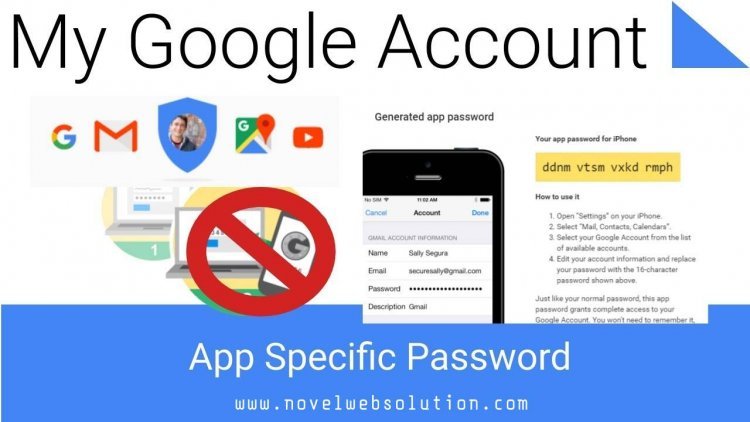
Creating specific passwords for apps in Gmail is a key step for protecting your personal information while permitting third-party apps or devices to access your Google account with confidence. This easy feature enables you to use sharing app specific passwords instead of your main password, thereby avoiding an unauthorised access to your account. In this article we will show you a few simple steps to create and account specific password in Gmail, putting your mind at ease and providing access across devices and applications, while knowing your account is safe.
For generating a new password for an email program to access your Gmail account through the IMAP or POP with the help of the two step authentication enabled. Follow the below mentioned steps provided by website designing company in jaipur.
1. In Gmail, select an profile icons at the top right and then click on Manage Google Account.
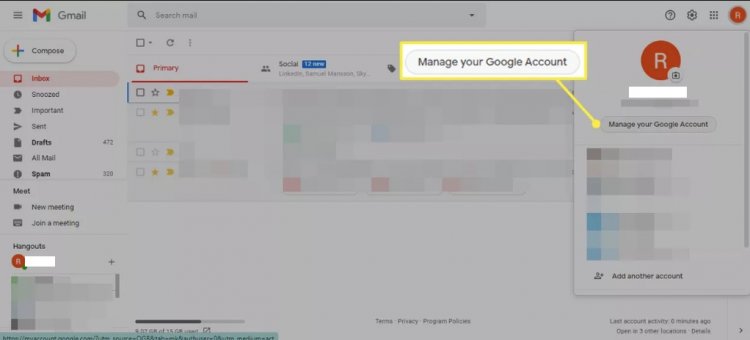
2. In the left sidebar, choose Security.

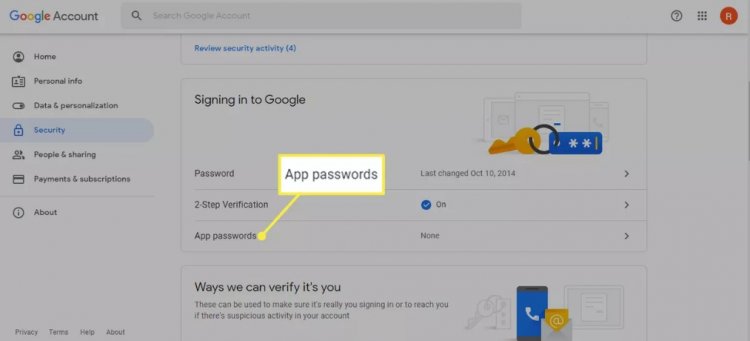
3. Select App passwords under the Signing into Google section. You're then asked to confirm your Gmail login credentials.
4. Under Select app, choose Mail or Other (Custom name), then select a device.

5. Select Generate.

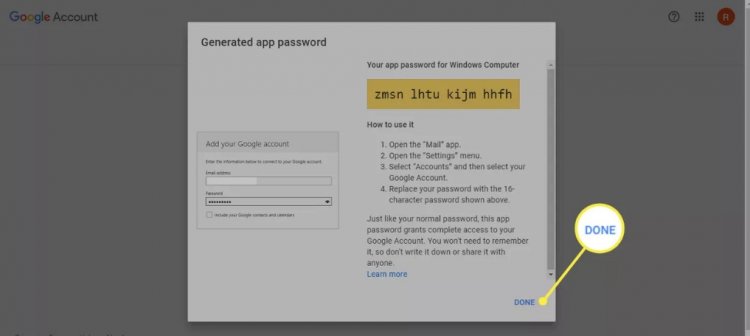
6. Your password appears in a new window. To finish the process, follow the guidelines displayed on your screen and then choose done.

If you also want to create a new app specific password for any program or any service then go back to the app passwords screen for delete the old password that you set up previously but no longer use for the same application.
One of the biggest value of an application- specific password is that you can able to revoke and regenerate the password on the service by service on the basis instead of changing the main password to your account. It is considered as one of the best practice for using an app specific password only for the single service. You are totally free for generating as many app specific passwords as you like.
Get the right guidance with a dedicated strategist by your side — every step of the way.